



Choosing a digital textbook app is less about finding the flashiest interface and more about matching your study habits to the way the books are delivered. I spent time with Bookshelf by VitalSource Technologies as an education app, and my impression is that it is most useful when your course materials already belong to the VitalSource ecosystem. It is free to install, suitable for everyone, and designed around reading and organizing digital books rather than replacing a full learning-management system.
That distinction matters. If you want one place for assigned textbooks, personal notes, and study sessions, Bookshelf can feel much more practical than juggling a browser, downloaded documents, and separate note-taking tools. If you are looking for live tutoring, classroom discussion, extensive practice tests, or a general e-reader with a broad independent library, I would look elsewhere. The right choice depends on whether your priority is structured textbook study or a wider reading experience.
How I would decide whether Bookshelf fits
Start with the source of your books
My first decision criterion would be simple: are the books you need available through VitalSource? Bookshelf is not the kind of app I would install first and then expect to build a complete personal library from scratch. Its value comes from having access to the digital course books connected with the service. Before changing your study routine, I would check the exact title, edition, and access method required by your school or course provider.
This is especially important for students who receive a reading list with several editions of the same textbook. A title match alone may not be enough if the instructor expects a particular edition. Checking that detail before a semester begins can prevent the frustrating situation of moving notes or reading plans to a different book later.
Think about how you actually study
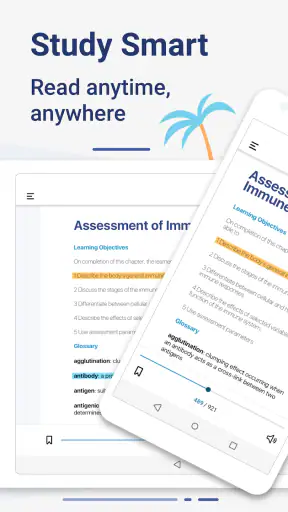
I found Bookshelf most appealing for readers who move repeatedly between chapters, sections, and highlighted passages. A digital textbook is useful when I need to search for a term, return to a marked explanation, or study away from a desk. That workflow is different from simply reading a novel from beginning to end. The app makes more sense for reference-heavy subjects where I revisit definitions, diagrams, and earlier explanations.
It is also worth asking whether you need a distraction-free reading tool or an all-in-one academic workspace. Bookshelf focuses on the book itself. That can be a strength because the material stays central, but it also means I would still use another tool for essays, group projects, calendar planning, or detailed handwritten-style notes.
Check device and access expectations
The current Android version is 11.4.2, and the listed minimum operating-system requirement is version 9. That makes the app relevant to many existing devices, although I would still check the operating system on an older phone or tablet before relying on it for class. I prefer verifying compatibility before a major reading session rather than discovering an issue when an assignment is due.
I would also test the account and book-access process early. The cost of switching is low when I am only evaluating the app, but it becomes higher once I have built a set of highlights and notes around a course. A short trial session with one assigned chapter is a sensible way to confirm that the reading flow suits me before committing my whole semester to it.
What its audience tells me
Bookshelf has passed the million-install mark and holds an average rating of 4.2 from roughly nineteen thousand ratings. Those figures suggest that it is an established choice rather than an obscure textbook reader, but they do not guarantee that every course workflow will feel smooth. My own decision would still be based on the specific books I need and whether I prefer digital reading to paper or downloadable documents.
Where Bookshelf wins in everyday study
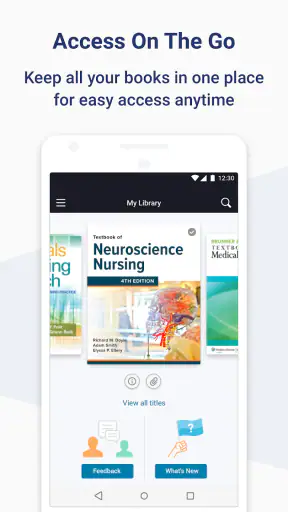
A focused home for course reading
The strongest part of the experience is the sense of having a dedicated shelf for academic reading. Instead of searching through a downloads folder or opening several browser tabs, I can return to a book from one study-oriented place. That sounds basic, but it changes the small moments between classes. When I have ten minutes before a lecture, opening the assigned book is more direct than finding the right file, remembering which page I stopped on, and hoping the document viewer behaves.
I particularly like this approach for subjects that require frequent cross-checking. While reviewing a chapter, I may need to return to a definition from an earlier section or confirm how a later example builds on a previous idea. A textbook-centered app is better suited to that behavior than a normal document viewer, because the reading experience is organized around books rather than loose files.
Useful for a realistic student routine
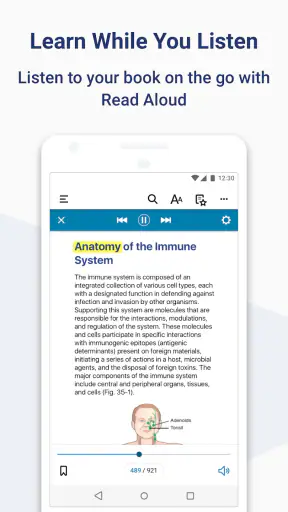
Imagine I am commuting to campus and have a quiz later in the day. I can use a short journey to revisit the chapter, search for the terms the instructor emphasized, and review my marked passages instead of carrying a large textbook. Later, at home, I can continue from the same digital book while writing notes in a separate document. The benefit is not that Bookshelf replaces every study tool; it is that it removes some friction from getting back into the assigned material.
Another practical situation is a group project. If a teammate refers to a concept from a particular chapter, I can jump back into the book and verify the context rather than relying on a vague memory. That is a small advantage, but it helps avoid building a presentation around an incomplete quotation or an isolated paragraph.
Search changes how I review
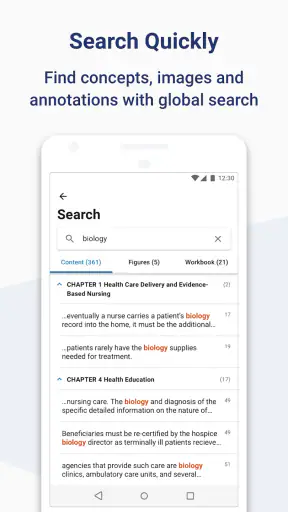
Digital search is one of the clearest reasons I would choose Bookshelf over a printed textbook for reference work. When I remember a phrase but not its chapter, searching is usually more efficient than scanning an index or turning pages. I use this most when preparing for cumulative assessments, because earlier material often becomes relevant again after several weeks.
There is a trade-off, though. Search can encourage shallow studying if I only jump between matching words without reading the surrounding explanation. My better habit is to use search as a doorway, then read the complete section and connect it to the chapter’s argument. Bookshelf supports quick retrieval, but it cannot decide whether I have genuinely understood the material.
Annotations are most valuable when used selectively
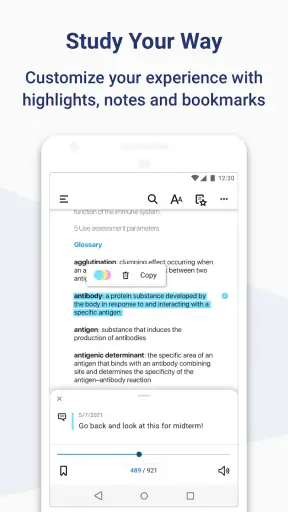
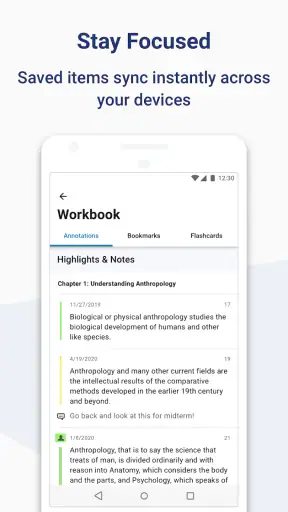
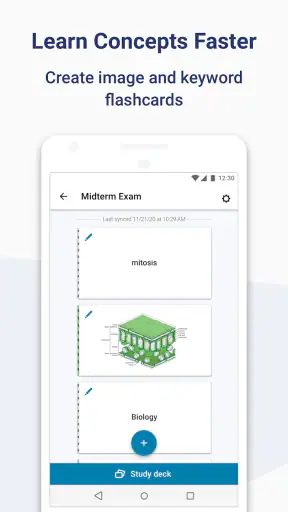
Highlights and notes can turn a long textbook into a personal revision guide. I would not mark every sentence. Instead, I would reserve highlights for definitions, rules, examples that clarify a difficult point, and passages likely to matter in an exam. I would add short notes that explain why a passage matters, rather than copying the passage into a second location.
This selective method is one of the more useful ways to get beyond basic reading. A dense book can become visually noisy if every paragraph is marked. By keeping annotations limited, I can return later and see the structure of my own understanding. The app is more effective when I treat it as a place for decisions about the text, not merely a digital highlighter.
Good for switching between reading contexts
I tend to read academic material in uneven bursts: a few pages at lunch, a longer session at home, and a quick review before class. Bookshelf suits that pattern better than a paper-only workflow because the book travels with the device I already use. It also avoids the inconvenience of carrying several heavy volumes when my schedule includes different subjects.
That convenience should not be confused with perfect concentration. A phone still contains notifications and unrelated distractions. For long chapters, I would choose a tablet or a quiet desktop session when possible. Bookshelf helps with access, but the device itself can still make focused reading harder than using paper.
What the developer’s approach means in practice
Vital Source Technologies has built Bookshelf around a comprehensive study experience rather than a general entertainment reader. In my view, that explains both its usefulness and its boundaries. The app feels most natural when the book is part of formal study, with chapters, references, and repeat visits. It is less compelling if my main goal is casual reading or managing documents from many unrelated sources.
The Everyone content rating also makes it broadly approachable for learners, families, and adult readers. Still, an age rating does not tell me whether a particular textbook is suitable for a child’s learning level. The educational content comes from the books themselves, so I would judge that separately.
Where the experience can feel limiting
The first limitation is dependence on the right digital catalog. A polished reader cannot help if the required title is unavailable through the service or if an instructor expects a different edition. This is why I would never switch in the middle of a course without checking the book first.
The second limitation is that digital reading does not suit everyone. I remember information better when I can physically spread pages across a desk, write in the margins, and see the position of a passage within the whole book. Bookshelf is a better choice for portability and retrieval; paper may remain better for readers who rely on spatial memory and long uninterrupted sessions.
The third limitation is workflow separation. I would still need another place for assignment drafts, detailed project planning, and communication with classmates. Someone expecting a complete virtual classroom may find Bookshelf too narrow. It is a study-reading tool, not a replacement for every service a school uses.
When another category is the better fit
A standard PDF reader may be preferable when I already own legitimate PDF materials and need flexible file handling across many sources. It can be simpler for documents that are not textbooks, although it may provide a less organized book-centered experience. A general e-book app may be better for novels, magazines, and mixed personal reading, while Bookshelf makes more sense when academic textbooks are the center of the routine.
Students who need quizzes, progress dashboards, teacher feedback, or discussion spaces should prioritize their school’s learning platform or a dedicated study service. Those tools address active practice and communication, whereas Bookshelf addresses access to and interaction with reading material. I would use both categories together rather than expecting one to perform the other’s job.
Printed books remain a reasonable alternative for readers who dislike screens, study in places where devices are inconvenient, or depend heavily on handwritten marginalia. The digital option wins when portability and searching matter more than the physical feel of a book. Neither approach is universally superior.
The real cost of changing your workflow
Because Bookshelf is free, the financial barrier to trying it is low. The more meaningful cost is time: locating the correct materials, learning where to place useful annotations, and adjusting from paper or ordinary files. I would keep my first digital notes concise while I learn the interface. That makes it easier to change tools if the reading experience does not suit me.
Before moving completely, I would also preserve important study information in a separate course notebook or document. I do not mean duplicating every highlight. I mean keeping a compact list of key concepts, assignment references, and personal explanations that I will need regardless of the reading app. This reduces dependence on one workflow and makes changing books or platforms less disruptive.
A practical transition plan is to use one chapter as a test. Read it on the device you expect to use, mark only the passages you would genuinely revisit, search for two or three terms, and return to those marks the next day. If that process feels natural, expanding to the rest of the course is reasonable. If it feels slower than paper or a familiar document reader, I would not force the change simply because the app is free.
My recommendation for different readers
I recommend Bookshelf to students whose assigned textbooks are available through VitalSource and who value searchable, portable reading. It is also a sensible option for adult learners, trainees, and anyone who revisits reference-heavy material in short sessions. The app’s strongest role is as a reliable home for digital course books, especially when I need to move between chapters and return to carefully chosen annotations.
I would be more cautious for readers who want one app to manage an entire academic life. If your priority is live instruction, collaborative work, automated practice, or broad personal e-book ownership, another category will probably serve you better. I would also skip it as a primary solution if you know that screen reading reduces your comprehension or if your required books are not available in the expected edition.
After reviewing it, I see Bookshelf as a focused education app rather than a universal study platform. Its free price, established user base, and textbook-oriented workflow make it worth testing, but the decision should begin with your course materials and study style. If those align, it can make daily reading noticeably easier. If they do not, a paper textbook, ordinary document reader, or broader learning platform may be the more comfortable choice.
For me, the best reason to use it is simple: it reduces the distance between realizing that I need to check a textbook and actually finding the relevant passage. That is a modest feature on paper, yet it becomes valuable across a semester. I would install the current version, test one real chapter, and judge it by that routine rather than by the promise of a comprehensive study experience. The right test is whether it helps you return to the material, not merely open it.


